An RFP — Request for Proposal — is a corporate or group client asking the hotels in your city for a price quote on a block of rooms. RFPs are one of the highest-leverage decisions in the simulator, and learning to bid well separates the top hotels from the middle.
Two types
| Type | Who it's from | What they want |
|---|---|---|
| Corporate | A company (consulting firm, tech company, airline crew, etc.) | A negotiated nightly rate for repeated stays over a long window |
| Group | A wedding, conference, sports team, etc. | A block of rooms for a specific short window — sometimes one weekend |
Both work the same way in the bidding UI; the differences are in the RFP's parameters.
Group and contract blocks don't always fully materialize
Winning a group or contract RFP doesn't guarantee every room-night in the block actually gets used. Real groups and contracts have wash — some portion of the contracted block goes unused (attendees who don't show, a room block that was sized optimistically, and so on). Your on-the-books (OTB) numbers always show the full contracted block, but by the time the stay window arrives, some of it may not materialize.
Keep this in mind when you're bidding: a block that looks fully accretive on paper (every room-night filling space you'd otherwise sell empty) may leave a little of that space open after wash. Factor it into your displacement thinking rather than assuming 100% of a won block will show up and consume inventory.
Where to find them
Click the RFPs tab in the top navigation.
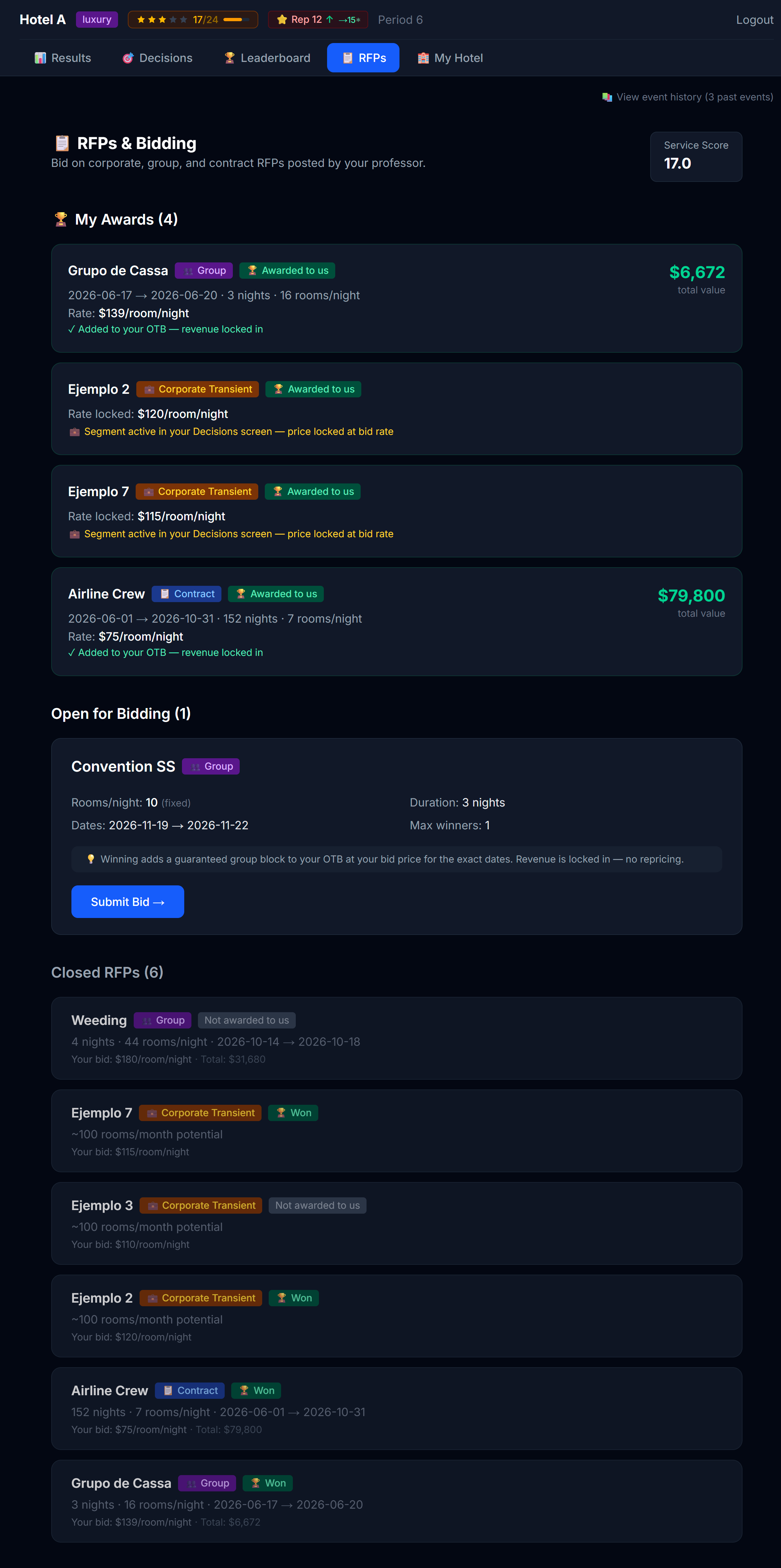 Open RFPs visible to you. Closed (already-decided) ones show separately.
Each RFP card shows you:
- Who is asking
- What they want (number of room-nights, type preference, window)
- The bid deadline (after which no more bids are accepted)
- Whether they've told you their budget cap or not
- Your bid status: ⏳ Not yet bid, ✅ Bid placed, 🏆 Won, ❌ Lost
Minimum service score
Some RFPs require a minimum service score. If your hotel's service score is currently below an RFP's minimum, the RFP card shows a notice telling you so — with your score and the required one side by side. You can't win that contract as you stand, but the fix is in your hands: invest in amenities (Chapter 3) to raise your service score and qualify before the bid deadline.
How to place a bid
Click Place Bid on the RFP card to expand the form.
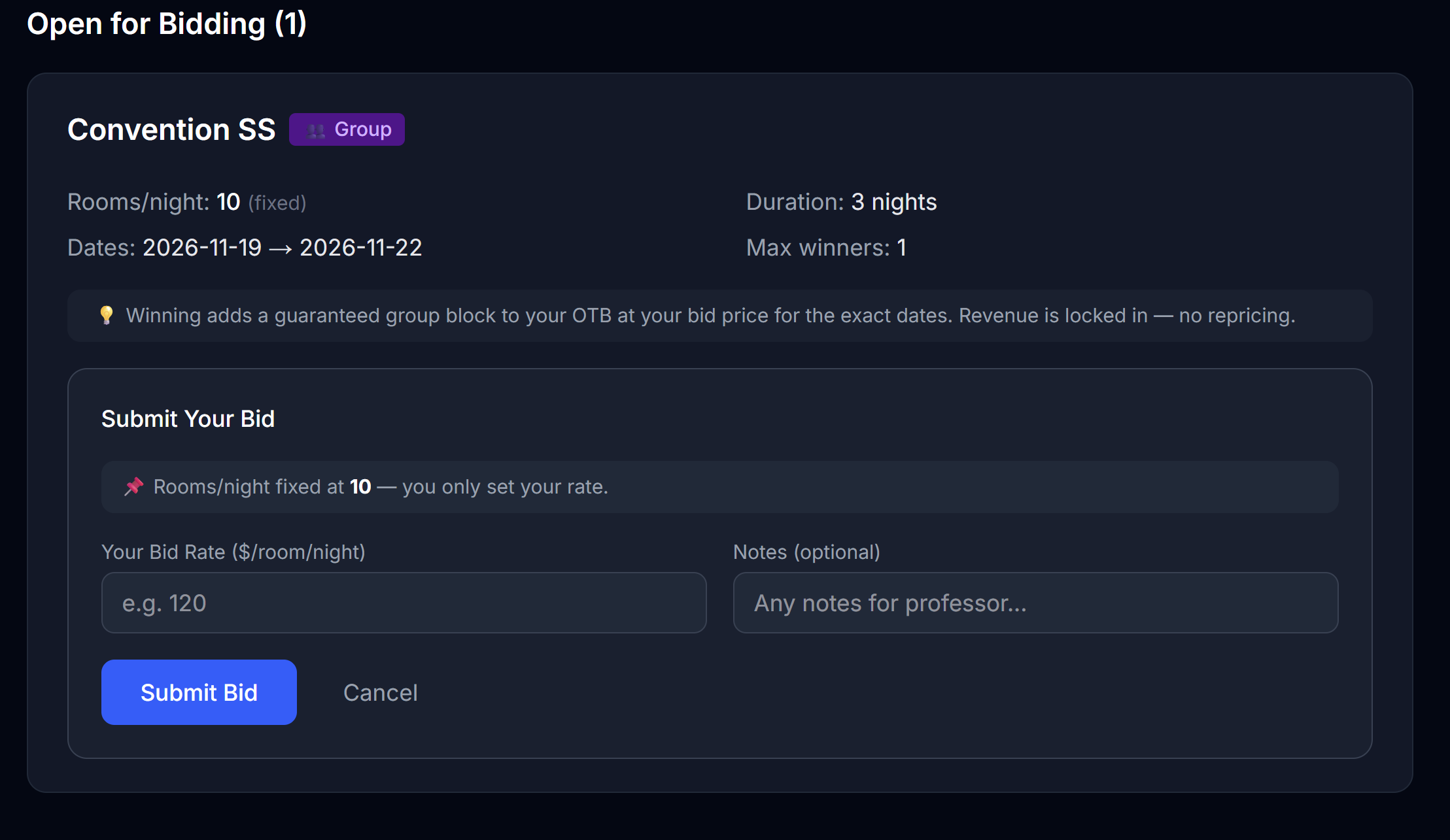 The bid form. Your price is the headline; the displacement panel (when shown) is the brain.
Fill in:
| Field | Notes |
|---|---|
| Bid price per night | Per room-night |
| Notes (optional) | What you'd say in a real cover letter — your sales pitch |
Click Submit Bid. Your bid is now visible to your professor, who will award the contract after the deadline.
The displacement panel (when shown)
If your professor has enabled displacement analysis for this RFP, a panel appears showing whether the bid would be good for your hotel:
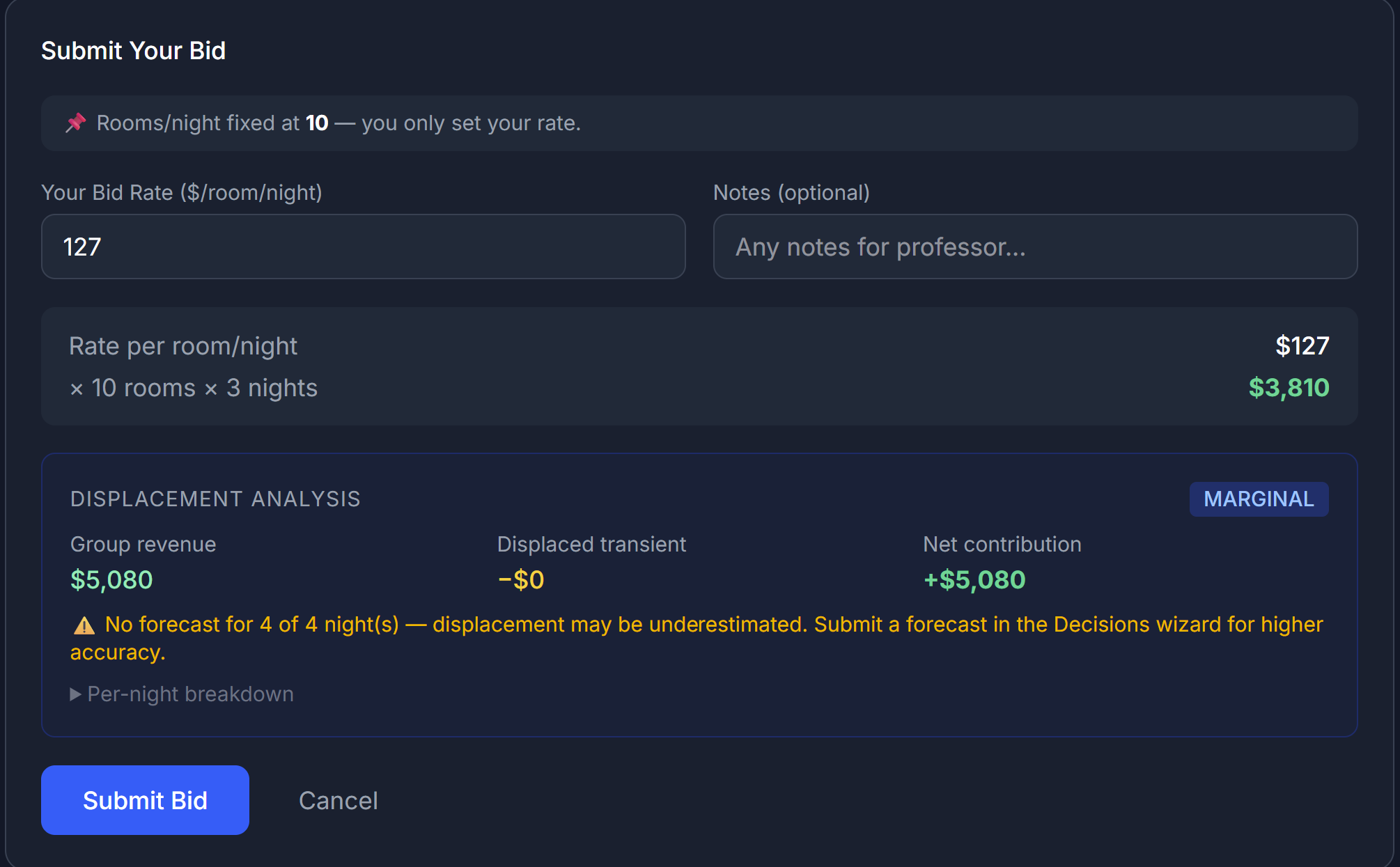 The displacement panel. Three verdicts: ACCRETIVE, MARGINAL, DILUTIVE.
The panel takes:
- The number of rooms the contract wants
- The price you've entered
- Your current forecast for that window (from the Forecast tab)
…and tells you:
| Verdict | What it means |
|---|---|
| 🟢 ACCRETIVE | The contract fills rooms that would otherwise sit empty. Bidding makes you money. |
| 🟡 MARGINAL | The contract displaces some retail bookings, but at a price still high enough to be worth it. Be thoughtful. |
| 🔴 DILUTIVE | The contract displaces retail bookings you would have gotten anyway at a higher price. You're trading good revenue for worse revenue. |
When the panel is hidden
Your professor may have turned off displacement analysis for this RFP. In that case you don't see the panel — you have to do the math in your head, or just decide based on your gut and your forecast. That's part of the lesson.
Bidding strategy in plain English
Three rules of thumb:
1. Bid when you have empty rooms to fill
If your forecast for the contract window shows lots of unsold capacity, an RFP is essentially "found money" — you'd rather have a guaranteed booking at $120 than nothing at $200.
2. Don't bid when you're already busy
If the window is your peak season and you expect to sell out at $300, accepting a contract at $180 displaces those higher-rate bookings. The math has to clear that bar.
3. Pricing matters more than you think
The professor (or the automated awarder, depending on simulation) usually picks the best bid, where "best" usually means "lowest price that still meets the requirements." But sometimes other factors are weighed — your hotel's star rating, fit with the corporate type, etc. Don't assume lowest always wins.
How long the contract lasts
Corporate contracts often run multiple periods — you commit to a price for, say, 6 months. That means:
- ✅ Predictable revenue for those periods
- ❌ Locked-in price even if market rates rise
This is real revenue strategy: you're trading optionality for certainty.
After you win
If you win an RFP, you'll see it in My Awards:
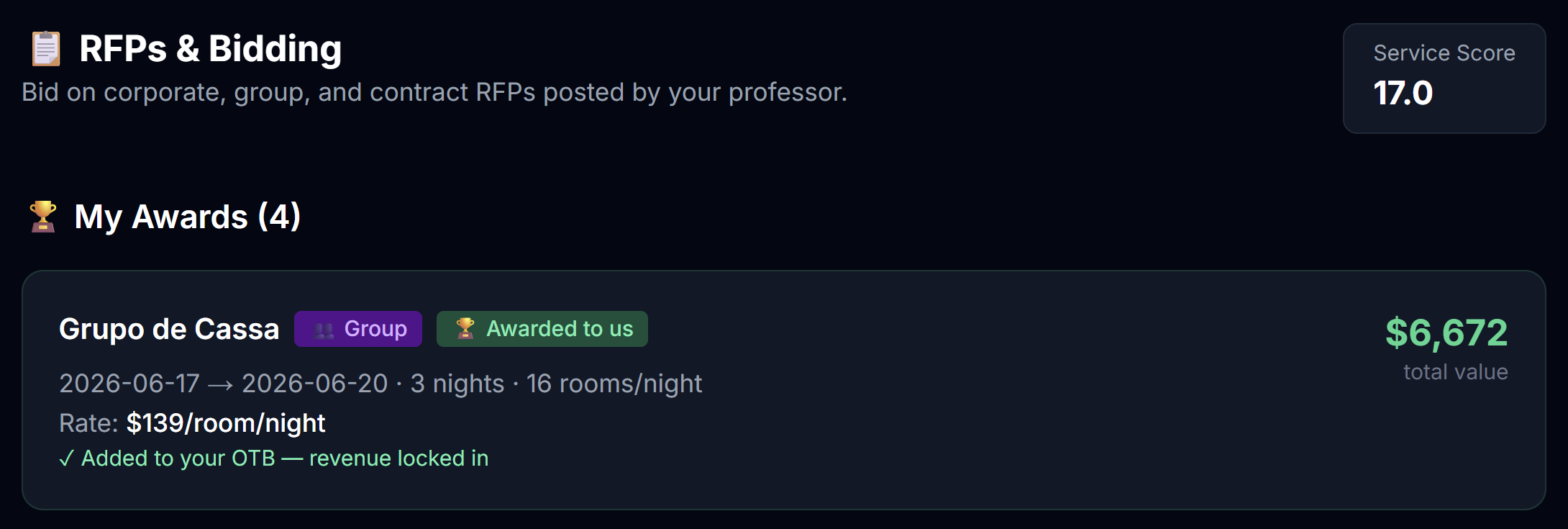 Your won contracts appear here with their terms.
Things that change automatically:
- A fixed price for that segment is locked into your pricing table for the contract window
- The contract's room-nights show up as OTB for the relevant months, at the full contracted amount
- Channel costs do NOT apply (these are direct contracts, not OTA bookings)
You don't have to do anything else. The contract guests just show up in your future periods — remembering that, per the wash note above, a group or contract block may show up at somewhat less than 100% of what OTB displays.
After you lose
You're back to your regular pricing strategy. No penalty for losing — the only cost was the time you spent thinking about it.
What if you don't bid at all?
If there's an open RFP and you don't bid, you'll get a warning when you submit your decisions:
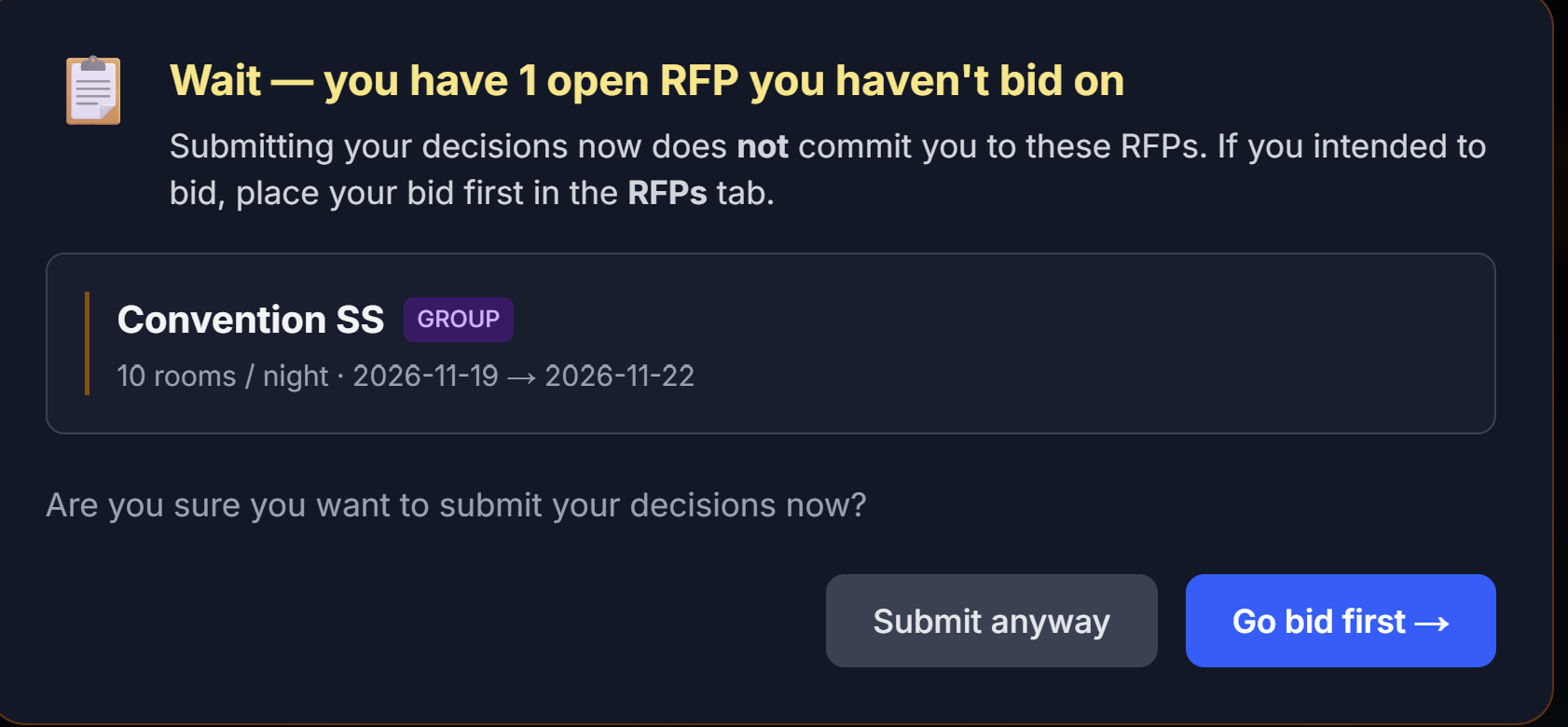 The unbid-RFP warning. Lets you submit anyway after acknowledging.
You're allowed to skip an RFP intentionally — but the warning exists so you don't skip one by accident. Click through and submit if skipping is what you meant.
Next
→ Chapter 9: The Leaderboard